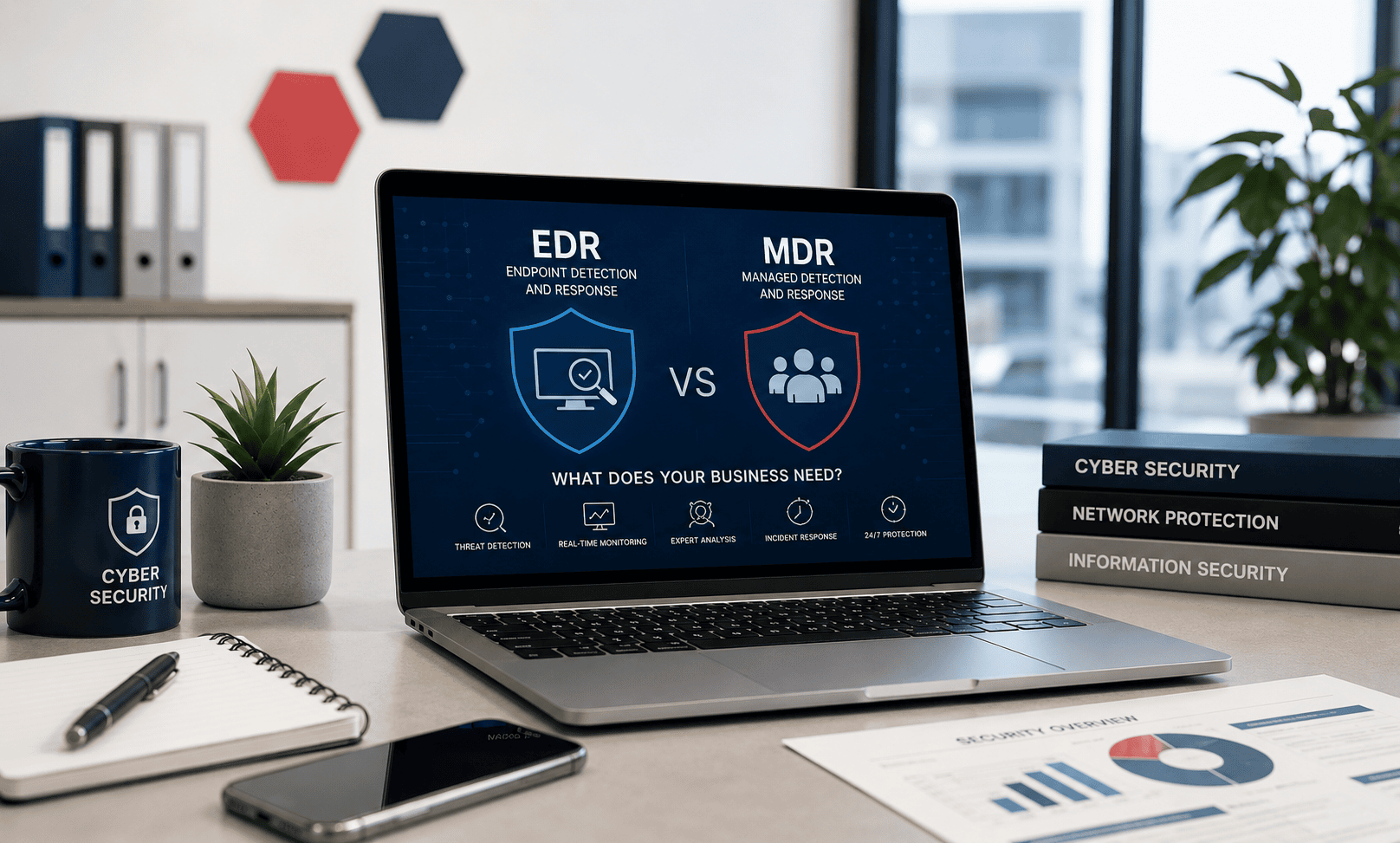
The Question Isn’t Which Is Best. It’s Which One Fits Where You Are.
Every week, a small business owner reads about endpoint security and comes away more confused than before. One article says antivirus is dead. Another says every business needs EDR. A third says MDR is the only answer. None of them explain how a 15-person accounting firm with no IT staff is supposed to process this.
Here is the honest framing: antivirus, EDR, and MDR are not competing products where one replaces the others. They’re layers of a protection stack, each addressing a different stage of an attack, each requiring a different level of internal capability to operate. The question isn’t “which one is best?” — it’s “which layer does my business have in place, and what’s the next meaningful gap to close?”
This article explains what each layer does in plain terms, what it costs, and which combination makes sense for different types of small businesses in 2026. If you’re a 10-person business without IT staff, the right answer is different from a 50-person regulated healthcare practice with an IT administrator. Both answers are honest. Neither is “buy the most expensive option.”
The One Question That Determines Your Answer
Before any product comparison: If someone received a security alert on your network at 2am on a Saturday, what would happen?
If the answer is “someone would log in, investigate, and respond” — you might be able to operate self-managed EDR effectively.
If the answer is “nothing until Monday morning” — you need managed detection and response (MDR), where a team of human analysts watches your environment and acts around the clock so you don’t have to.
Most small businesses, when they answer this question honestly, land in the MDR category. Not because they’re under-resourced — but because the 2am Saturday scenario is exactly when ransomware deploys, and waiting until Monday morning to notice it is the difference between a contained incident and a complete shutdown.
Keep that question in mind as you read through the three layers below.
Layer 1: Antivirus (Next-Generation Antivirus / NGAV)
What it is
Antivirus — more accurately called next-generation antivirus (NGAV) in 2026 — is software installed on each device that monitors for malicious files, processes, and behaviour and blocks threats before they can execute. Every business needs this as a baseline. There is no layer 2 or layer 3 that makes this irrelevant.
Modern antivirus is substantially different from the signature-based tools of ten years ago. Products like Bitdefender GravityZone, ESET PROTECT, and Sophos Intercept X use machine learning, behavioural analysis, and cloud-based threat intelligence alongside signature databases. They catch threats that haven’t been seen before by analysing what software is doing, not just what it looks like.
What it protects against
- Known malware caught by signature databases
- Ransomware exhibiting detectable encryption behaviour
- Suspicious file execution and process behaviour
- Phishing links (web filtering at the browser level)
- Malicious scripts in many configurations
What it doesn’t protect against
- Fileless attacks that operate entirely in memory, leaving no file on disk for antivirus to scan
- Living-off-the-land attacks that use legitimate Windows tools (PowerShell, WMI, PsExec) for malicious purposes
- Credential theft using valid credentials that look like legitimate logins
- An attacker who has already established persistence and is moving quietly through the network
- Threats that execute after business hours when nobody monitors the alert dashboard
The CrowdStrike 2025 Global Threat Report found that 79% of detections in 2024 were malware-free — meaning attackers used techniques that don’t involve dropping a malicious file. This is the structural limitation of antivirus: it was built for a threat model that has partially evolved away from it.
This doesn’t mean antivirus is useless — commodity ransomware, email-borne malware, and drive-by downloads still represent a large proportion of small business attacks, and antivirus catches most of them. But it does mean that antivirus alone leaves meaningful gaps.
Who antivirus is right for
Any business. This is the baseline. There is no scenario where a small business should have zero endpoint protection. The relevant question is whether antivirus alone is sufficient, or whether the business needs to add additional layers.
Antivirus alone may be adequate if: your business has 1–5 devices, no client data obligations, no compliance requirements, no remote access to business systems, and limited exposure to targeted attacks. Even then, making sure it’s a properly licensed business product (not a consumer tool used in violation of its EULA) and kept updated is the minimum viable baseline.
Cost
Business-grade next-generation antivirus runs approximately $40–$70/device/year at SMB pricing. Bitdefender GravityZone Small Business Security, ESET PROTECT Entry, and Sophos Intercept X Essentials all sit in this range. Microsoft Defender for Business is included in Microsoft 365 Business Premium ($22/user/month) at no additional per-device charge. For most small businesses, total endpoint antivirus cost runs $400–$1,000/year for a 10–15 device fleet.
Layer 2: EDR (Endpoint Detection and Response)
What it is
EDR is antivirus plus visibility. Where antivirus blocks threats and (ideally) stops the attack at the point of execution, EDR records everything that happens on the device — every process, every network connection, every file modification, every script execution — and uses that telemetry to detect attacks that antivirus misses and to enable investigation of what happened after an incident occurs.
The key word is telemetry. EDR tools maintain a continuous, detailed record of endpoint activity. When something suspicious happens — a PowerShell script downloads a payload, a process connects to an unusual IP address, a user account logs into an unusual system at an unusual time — the EDR tool correlates those events, identifies the pattern as suspicious, and generates an alert with the full context of what led up to it.
EDR also enables response: isolating a compromised device from the network, terminating a malicious process, rolling back encrypted files (in tools that support this), and quarantining suspicious files — all from a centralised console without physical access to the affected device.
What it adds over antivirus
- Detection of fileless attacks and living-off-the-land techniques
- Behavioural analytics that catch novel attack patterns without requiring a known signature
- Full attack timeline showing exactly how an attacker got in, what they accessed, and how far they got
- Remote response capabilities — isolate, terminate, quarantine without on-site access
- Post-incident forensics — the evidence trail needed for insurance claims, regulatory investigations, and improving defences
- Threat hunting — the ability to search historical telemetry for indicators of compromise that weren’t flagged as suspicious at the time
The critical limitation nobody mentions
EDR tools generate alerts. Those alerts require human investigation to determine whether they represent real threats or false positives. A properly configured EDR deployment on a 20-device network will generate dozens of alerts per week, of which the majority are routine activity that an experienced analyst would clear immediately and a small number represent genuine security events requiring action.
Who is reviewing those alerts at your business?
If the answer is an IT administrator with security knowledge who actively reviews the EDR console daily: self-managed EDR can work. If the answer is nobody, or the business owner when they remember to check, or an IT generalist who manages systems but isn’t a security specialist: the alerts are going unreviewed. An EDR tool with unreviewed alerts provides the administrative appearance of security monitoring without the reality.
This is the single most important thing to understand about EDR before purchasing it: the tool is only as effective as the process that watches it.
Who EDR is right for
EDR is the right next step after antivirus for a business that has someone actively monitoring security — an IT administrator with security experience, or an MSP that includes security alert monitoring as part of the managed service. It’s also a compliance requirement for many frameworks: PCI-DSS, SOC 2, and HIPAA all expect detection and response capabilities that antivirus alone doesn’t satisfy.
EDR is appropriate if:
- Your business has an IT administrator or security-aware MSP actively reviewing alerts
- A compliance framework requires detection and response capabilities
- Your cyber insurance policy requires demonstrable endpoint monitoring
- You’ve had a security incident and need post-incident forensics capability
- You operate in a regulated industry or handle sensitive client data
EDR alone is not appropriate if:
- Nobody at your business will actively review the alerts it generates
- You don’t have the expertise to investigate a suspicious alert and determine if it’s a real threat
- You want 24/7 monitoring but your IT team works business hours only
Cost
Standalone EDR tools (SentinelOne Singularity, CrowdStrike Falcon Pro, Microsoft Defender for Business) run approximately $79–$150/device/year. Many next-generation antivirus products now include EDR capabilities at their mid-tier: Bitdefender GravityZone Business Security Premium, ESET PROTECT Advanced with inspection, Sophos Intercept X Advanced with XDR. These run approximately $70–$130/device/year, making the incremental cost of adding EDR to existing antivirus relatively small.
Huntress Managed EDR — which includes both the EDR technology and human SOC monitoring, bridging the gap between EDR and MDR — runs approximately $8.99/endpoint/month direct or $2.50–$3.50/endpoint/month through an MSP.
Layer 3: MDR (Managed Detection and Response)
What it is
MDR is EDR plus humans. A managed detection and response service combines the technology of EDR with a 24/7 Security Operations Centre (SOC) staffed by trained security analysts who monitor your environment around the clock, investigate alerts on your behalf, determine whether they represent real threats, and either contain those threats directly or send you specific, actionable guidance on what to do.
The critical difference from self-managed EDR: you don’t review alerts. The MDR provider’s analysts do. When ransomware activity begins at 3am on a Saturday, the SOC investigates it, confirms it’s a real threat, isolates the affected device, and sends you a notification explaining what happened and what they did. You wake up to a report, not an active breach.
MDR providers like Huntress, Sophos MDR, and Arctic Wolf include their own detection technology alongside the human monitoring. Most MDR services also include specific SMB-oriented capabilities: persistent foothold detection (finding the hidden access mechanisms attackers install before deploying ransomware), Microsoft 365 identity monitoring, and plain-English incident reports written for business owners rather than security analysts.
What MDR adds over self-managed EDR
- 24/7 human monitoring — attacks at 2am get the same response as attacks at 2pm
- Alert triage performed by security analysts — you only hear about confirmed threats, not hundreds of daily false positives
- Active response capability — threats are contained autonomously (with pre-authorisation) or on rapid human confirmation
- Security expertise on demand — when something happens, trained analysts guide your response rather than leaving you to figure it out alone
- Persistent foothold detection — catching the pre-ransomware activity that EDR alone often surfaces as low-priority alerts
- Post-incident forensics and plain-language reporting for insurance and compliance purposes
Who MDR is right for
MDR is the right choice for any small business that needs active monitoring but doesn’t have the internal staff to provide it. This is the majority of small businesses.
MDR is appropriate if:
- Nobody at your business will actively review security alerts (the 2am question)
- Your cyber insurance requires 24/7 security monitoring
- You’ve experienced a security incident and want ongoing professional monitoring
- You operate in a regulated industry and need demonstrable continuous monitoring
- Your MSP manages IT but doesn’t actively monitor security events
- You want to extend your security posture without hiring a security specialist
MDR may not be necessary if:
- Your business has fewer than 5 devices with no remote access, no sensitive data, and no compliance requirements — antivirus alone may be genuinely adequate
- You already have a dedicated security operations function that actively monitors alerts
Cost
MDR costs more than self-managed EDR — but much less than the alternative, which is building an equivalent monitoring capability with human staff.
Huntress Managed EDR through an MSP: approximately $2.50–$3.50/endpoint/month, or $8.99/endpoint/month direct. For 20 devices through an MSP: approximately $600–$840/year.
Sophos MDR Essentials: approximately $7–$10/endpoint/month. For 20 devices: approximately $1,680–$2,400/year.
Arctic Wolf: starting approximately $44,000/year for 100 users — more appropriate for larger small businesses or mid-market.
For comparison: a security analyst salary in the US runs $95,000–$130,000/year. Building a 24/7 SOC with human coverage at that rate costs hundreds of thousands of dollars annually. MDR provides the equivalent at a fraction of the cost.
The Decision Framework: Which Layer Does Your Business Need Right Now?
Work through these questions in order. Stop when you reach the recommendation that fits.
Step 1: Do you have business-grade endpoint protection on every device?
Not consumer antivirus used in violation of its commercial use licence (Avast Free, AVG Free, Malwarebytes Free). Not Windows Security on a 15-device fleet with no centralised management. Business-grade antivirus with a management console showing you the protection status of every device.
If no: start here. Deploy Bitdefender GravityZone Small Business Security, ESET PROTECT Entry, or — if you’re on Microsoft 365 Business Premium — Microsoft Defender for Business. Budget: approximately $40–$70/device/year. This is non-negotiable regardless of what other layers you add.
If yes: move to Step 2.
Step 2: Does your business have any of the following?
- A compliance requirement (HIPAA, PCI-DSS, SOC 2, FTC Safeguards)
- Cyber insurance with MFA and endpoint monitoring requirements
- Remote access (VPN, RDP, remote desktop) to business systems
- Sensitive client data (financial records, health information, legal files)
- A previous security incident
If any of these apply: you need more than antivirus. Move to Step 3.
If none apply and you have fewer than 10 devices: antivirus alone may be your appropriate baseline for now. Revisit as the business grows.
Step 3: Does someone at your business actively monitor security alerts?
Not “we have someone who could check if asked.” Actively, daily, as part of their job — an IT administrator or MSP that reviews alerts, investigates suspicious events, and responds within hours rather than days.
If yes: self-managed EDR is viable. Look at Huntress Managed EDR (which includes SOC monitoring even through the MSP channel, at approximately $2.50–$3.50/endpoint/month), or a combined NGAV+EDR product like Bitdefender GravityZone Business Security Premium, SentinelOne Singularity, or CrowdStrike Falcon Pro. Budget: approximately $70–$150/device/year for the tool, plus the internal resource cost of monitoring it.
If no: stop here. Self-managed EDR without active monitoring is an expensive way to have unreviewed alerts. You need MDR.
Step 4: If you need MDR — which one?
If your IT is managed by an MSP: ask whether your MSP includes Huntress MDR in their service. If they do, it’s likely already accessible to you. If they don’t, ask why not — it’s the most cost-effective SMB MDR available through the MSP channel at $2.50–$3.50/endpoint/month.
If you buy directly: Huntress Managed EDR direct at $8.99/endpoint/month with a 50-endpoint minimum. Sophos MDR if you’re already running Sophos Intercept X endpoint protection. Arctic Wolf for businesses that want a named Concierge Security Team and broader coverage across network and cloud.
How the Three Layers Work Together
The right picture isn’t “choose one of these.” It’s understanding which layers are in place and what the next gap to close is.
For a 10-person professional services firm with no IT staff, a realistic 2026 security stack might look like:
- Antivirus/NGAV layer: Bitdefender GravityZone Small Business Security on all 10 devices (~$570/year)
- MDR layer: Huntress Managed EDR through their MSP (~$360–$420/year at MSP rates)
- Total endpoint security spend: approximately $930–$990/year for the 10-device fleet
That’s under $100/device/year for a stack that includes enterprise-grade detection quality plus 24/7 human monitoring and response. Five years ago, this level of protection required a budget that small businesses couldn’t access.
For a 20-person healthcare practice with HIPAA compliance obligations:
- Antivirus/NGAV layer: Microsoft Defender for Business (included in Microsoft 365 Business Premium already being paid for)
- MDR layer: Huntress Managed EDR with ITDR (identity threat detection) for Microsoft 365 — approximately $5/endpoint/month combined
- Total endpoint + identity MDR spend: approximately $1,200/year
Both examples illustrate the core principle: the layers are not mutually exclusive, and the total cost of a complete stack is often lower than businesses assume.
Where XDR Fits (And Why You Don’t Need to Worry About It Yet)
XDR (Extended Detection and Response) is a newer term you’ll see in product marketing. It extends EDR’s telemetry beyond individual endpoints to correlate events across email, cloud applications, network traffic, and identity systems — giving analysts a cross-environment view of an attack rather than per-device telemetry.
Microsoft Defender XDR (included in Microsoft 365 Business Premium) and SentinelOne Singularity XDR are examples. For a small business, XDR is most relevant when you’re already running EDR effectively and want to extend detection coverage to email, Microsoft 365, and cloud infrastructure from the same platform.
If you’re still deciding between antivirus and EDR, XDR is not the relevant question. Get the foundational layers in place first.
Comparison Table: Antivirus vs EDR vs MDR for Small Business 2026
| Antivirus / NGAV | Self-Managed EDR | MDR | |
|---|---|---|---|
| What it does | Blocks known and behavioural threats on devices | Detects, investigates, and responds to threats; records full attack telemetry | EDR technology plus 24/7 human SOC monitoring and response |
| Who monitors it | You / IT admin — only if you check | You / IT admin — must actively review alerts | MDR provider’s SOC analysts — 24/7 |
| Alert management | Minimal alerts; high-confidence blocks | Many alerts requiring triage and investigation | Analysts filter to confirmed threats only |
| After-hours coverage | Tool runs; nobody watches | Tool runs; nobody watches | Humans watch and respond 24/7 |
| Post-incident forensics | Limited | Full attack timeline available | Full timeline plus analyst interpretation |
| Compliance suitability | Partial (detection; limited response evidence) | Yes (with active monitoring documentation) | Yes (with continuous monitoring audit trail) |
| Cost (per device/year) | $40–$70 | $79–$150 | $30–$108 (Huntress MSP to Sophos direct) |
| Best for | Every business as baseline | IT-staffed businesses with active monitoring | Businesses without 24/7 security staff |
| Minimum internal capability | None | Security-aware IT admin or MSP | None — that’s the point |
What to Avoid
Don’t buy EDR and leave the alerts unmonitored. Self-managed EDR is not a passive protection tool. It requires active human engagement to deliver its value. An EDR deployment where nobody reviews the alerts regularly is an expensive way to have a false sense of security — the tool detects threats and generates alerts, but if no one sees them, the attack progresses anyway. If you cannot commit to active alert monitoring, choose MDR rather than self-managed EDR.
Don’t let a vendor sell you MDR as a replacement for antivirus. MDR monitors and responds to threats — it doesn’t replace the endpoint protection layer on each device. A small number of MDR providers bundle their own endpoint agent. Most work alongside your existing endpoint security. Verify what’s included in any MDR engagement and ensure every device has actively running endpoint protection, regardless of which monitoring layer sits above it.
Don’t interpret “we have antivirus” as “we have endpoint security sorted.” Antivirus is a necessary baseline, not a complete endpoint security programme. In 2026, the majority of successful attacks on small businesses involve techniques that bypass or supplement the file-execution stage that antivirus monitors. This doesn’t mean antivirus is useless — it means the question “what happens when something gets through?” needs an answer. EDR and MDR are that answer.
Final Verdict: The Practical Recommendation for Most Small Businesses
For the majority of small businesses in 2026 — businesses with 10–50 employees, mixed Windows and Mac devices, a Microsoft 365 or Google Workspace environment, and no dedicated security staff — the right endpoint security approach is:
Next-generation antivirus + MDR delivered through an MSP.
Not self-managed EDR. Not antivirus alone. Not enterprise-tier tools that require a security operations centre to operate.
Next-generation antivirus (Bitdefender GravityZone, ESET PROTECT, Sophos Intercept X, or Microsoft Defender for Business if already on Microsoft 365 Business Premium) provides the device-level protection baseline. MDR — most accessibly through Huntress Managed EDR delivered via an MSP partner at $2.50–$3.50/endpoint/month — provides the 24/7 human monitoring that answers the 2am Saturday question correctly.
Total cost for a 20-device business: approximately $800–$1,400/year. Total outcome: enterprise-grade detection and response that actively monitors for and contains threats around the clock, without requiring the business to employ a security specialist.
If your business has compliance obligations (HIPAA, PCI-DSS, SOC 2), add identity threat detection for Microsoft 365 alongside the endpoint MDR — Huntress Managed ITDR at approximately $4.80/identity/month covers the account compromise and session hijacking vectors that endpoint-only MDR doesn’t see.
The tools are accessible, the pricing is reasonable, and the 2am Saturday question now has a satisfying answer. That’s the goal.
Frequently Asked Questions
Do small businesses really need more than antivirus?
For most small businesses in 2026, yes. Antivirus blocks known threats and behavioural patterns visible at the file execution stage. Modern attacks increasingly operate without dropping recognisable malicious files — using legitimate Windows tools, stolen credentials, and phishing-delivered macros that run in memory. According to CrowdStrike’s 2025 Global Threat Report, 79% of 2024 detections involved malware-free techniques. That doesn’t mean antivirus is obsolete — commodity ransomware and phishing-borne malware are still common and antivirus stops most of them. It means that antivirus alone leaves gaps that attackers have learned to exploit. Whether those gaps need to be closed by adding EDR or MDR depends on the business’s risk profile, compliance obligations, and internal monitoring capability.
What’s the difference between EDR and MDR in practical terms?
EDR is a tool. MDR is a service. EDR software installed on your devices detects threats and generates alerts — but you or your IT team are responsible for reviewing those alerts, investigating what they mean, and responding to the ones that are real. MDR is EDR plus a team of security analysts who do all of that on your behalf, around the clock. The practical difference: with EDR alone, a threat detected at 3am Saturday gets noticed when someone checks the dashboard on Monday morning. With MDR, the same threat is investigated and contained within minutes of detection, by analysts who are paid to do exactly this, while you sleep. For a small business without dedicated security staff, MDR closes the gap that self-managed EDR leaves open.
How do I know if my current MSP is actively monitoring security?
Ask them directly: “What happens when a security alert is generated on one of our devices at 2am on a Saturday?” A managed security provider should have a specific, concrete answer: which platform they monitor, what their response SLA is, who investigates confirmed incidents, and what happens next. If the answer is vague, or if the MSP confirms they deploy security tools but don’t actively monitor alerts, you have a gap. Many general managed IT providers deploy endpoint protection as part of their service stack but don’t actively monitor security events — their focus is IT management, not security monitoring. This is a meaningful distinction. An MSP that includes Huntress Managed EDR is actively monitored by Huntress’s 24/7 SOC even if the MSP itself doesn’t have security analysts.
Can I get MDR without a separate EDR product?
Most MDR providers include their own endpoint agent and don’t require a separately licensed EDR product. Huntress installs its own lightweight agent. Sophos MDR requires Sophos Intercept X (which includes next-generation antivirus and EDR). Arctic Wolf uses network sensors and integrates with your existing endpoint security rather than replacing it. Confirm what’s included in any MDR engagement and whether it fully replaces your existing endpoint protection or supplements it. You should never have a device running no endpoint protection — verify coverage before removing any existing tool.
Is MDR covered by cyber insurance?
MDR is increasingly expected rather than just rewarded by cyber insurers. Most 2026 cyber insurance questionnaires include questions about 24/7 security monitoring, incident detection capability, and endpoint protection — all of which MDR directly satisfies. Some insurers offer premium discounts for businesses with demonstrable MDR coverage. MDR providers like Huntress can generate audit-ready reports showing monitoring activity, incident detection, and response actions — the documentation that insurers may request following a claim. If cyber insurance coverage is part of your security rationale, confirm with your broker whether your specific insurer recognises your chosen MDR provider’s service as satisfying their monitoring requirements.
Cost estimates current as of July 2026. CrowdStrike malware-free detection statistic from CrowdStrike 2025 Global Threat Report. Average SMB breach cost estimates from industry analyses including IBM Cost of a Data Breach 2025. For government guidance on small business endpoint security, see CISA’s Small Business Cybersecurity Resources.
Related reading on SmallBiz Defense: